The next book


The next book21 Apr 2010 11:23 am

Several people have asked if and when electronic versions of my new book, Journalism Next, might become available. The good news: fairly soon.

Chris O’Brien, Marketing Manager of the College Publishing Group at CQ Press sent me this update yesterday:

“The book is now in Amazon’s Kindle ingest process, which can take anywhere from two to four weeks.  As you can imagine, there are a number of variables that contribute to the timeline for this (all under Amazon’s control), but hopefully since your book has shown some nice sales so far through Amazon, it will encourage them to speed it up!”

The book will also be available a la carte in electronic form on CQPress’s new custom publishing website, hopefully within the next month.

The next book05 Jan 2010 09:49 am

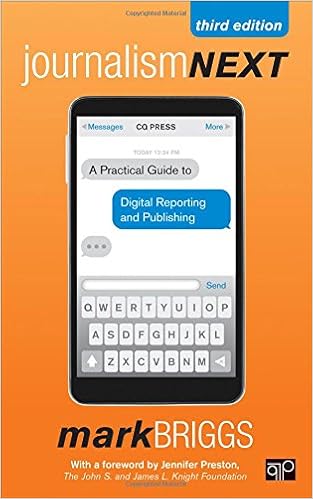
In case you haven’t heard (because I forgot to tell you), my new book came out last month and I’m very pleased with the outcome. The book was published by CQPress and I remain impressed with the organization’s management and execution of the project.

Journalism Next: A Practical Guide to Digital Reporting and Publishing is available on Amazon.com or at the CQPress website. If you are interested in a review copy or bulk orders for classrooms, contact CQPress directly. (Note: unless it’s a bulk order, get the book through Amazon because the shipping is cheaper.)

In fact, I was so happy to work with CQPress, I’ve signed on for another project: Bootstrapping the News: The new business models for news and how to go from journalist to entrepreneur. This project is just getting going; it’s uncertain whether that will be the book’s title in the end or when it will publish. But I promise to keep you posted here and at my new blogging home, LostRemote.com.

The next book18 Sep 2009 07:58 am

Due to the success of Journalism 2.0 as a downloadable PDF, I’m often asked whether the next one, Journalism Next, will be available as an e-book. I’m happy to report that, yes, it will be available digitally and even as an a la carte option.

CQPress is publishing Journalism Next and informed me recently that it will offer it as an e-book/online subscription, offering users the ability to customize books, building a custom publication a chapter at a time from the entire CQPress library of content. Pretty cool, huh?

The e-book version of Journalism Next should be available about the same time as the print edition, which is scheduled to be released on Nov. 10. You can pre-order the book at CQPress’s web site for $21.95.

Readers in Europe will be able to order the book from Sage Publishing, which is the parent company of CQPress, by using this link: http://www.uk.sagepub.com/cqpress.sp. It should also be available on Amazon.co.uk. It’s unclear whether there will be any lag time between the time when the book will be available in the U.S. and available on Amazon.co.uk.

The next book24 Aug 2009 08:00 am

A quick update on the book …

Journalism Next is set for release on Nov. 10 (just in time for the Christmas shopping season!). You can pre-order the book at CQPress’s web site for $21.95. I didn’t have a say in the price tag but I’m happy to see that it’s not one of those $50-80 textbooks that I remember loathing in college. Who needs royalties, anyway?

The cover image is set and I’m working through the final changes to the manuscript and trying to answer some last questions from editors. I’m also struggling with what to do with developments in technology since I submitted the first draft. (If you know how Facebook’s acquisition of FriendFeed or Google’s Wave will impact journalism in 2010, let me know.)

I’m also updating the professional titles for sources I interviewed. So far, four different people have changed jobs (only one lost)  since I started researching and writing in January.

What are you waiting for? Don’t you have a book to pre-order?

The next book21 Aug 2009 08:04 am

What are your must-read links for online journalism?

Thankfully, my book is nearing the finish line of production. One of the final pieces is an appendix I’m working on that will offer readers a list of blogs and Web sites that are, for me, essential reading to stay informed about online journalism.

Because the book can’t be easily updated, and technology and the ways people use it are changing every day, it’s important to give readers a way to stay informed. Help me make the list as comprehensive (but not overwhelming) as possible.

Following is a list of blogs and Web sites that I used in writing the book and frequent on a regular basis to keep in touch with what’s next in journalism. Let me know if you have a suggestion for one that I’ve missed. (Links added 8/22/09 8 a.m.)

General news about online journalism:
Journalism.co.uk
Online Journalism Review
Nieman Journalism Lab

News and commentary about the digital media revolution:
Buzz Machine
Reflections of a Newsosaur
Xark!
Recovering Journalist
E-Media Tidbits
PressThink
Contentious
Publishing 2.0
PaidContent
Mashable
MediaShift
MediaShift Idea Lab
Lost Remote
CyberJournalist
The Journalism Iconoclast
Invisible Inkling
DigiDave
Steve Yelvington
Steve Outing

New skills, concepts for journalists:

Beatblogging
Teaching Online Journalism
Innovation in College Media
Poynter Online
Journalistopia
Online Journalism Blog
Journerdism
10,000 Words
Advancing the Story
Multimedia Shooter
Interactive Narratives
The Scoop
Old Media New Tricks
CoPress

Organizations for online journalists:

Online News Association
Wired Journalists

The next book17 Jul 2009 07:53 am

(NOTE: This series of posts is an excerpt from my upcoming book, Journalism Next, which will be published by CQPress and is due out in the fall.)

As more journalists go digital, sharing information becomes easier. That’s a good thing, since most newsrooms are a river of information, much of which should be easily available to all the journalists who work there.

Recently, several of the largest news organizations have built an application provider interface (API) to allow anyone to tap into their data and build tools and Web pages. The use of APIs is nothing new in the technology world; this is how Google made its maps the basis for so many “mash-ups.” But a news organization opening up its content through the use of APIs illustrates two important developments, one technical and one political:

1. News organizations are closing the technical divide, since it takes programming skills to develop an API
2. News organizations are finally realizing that closed systems and absolute control over content don’t work in the new digital information ecosystem.

Data-driven journalism as standard practice

Opportunities abound for using databases, spreadsheets and other forms of structured or fielded data in news coverage or story development. While some situations, like writing about the census or the latest property tax valuations, are obvious, almost any assignment can be broken down into data points and organized for customized manipulation.

Think of all the information that passes through a news organization every day. Now think how little of it is accessible to those who work there, or more importantly, to interested members of the public. This problem for news organizations and journalists can be fixed by storing information electronically with spreadsheets and shared databases.

For example, a typical newsroom compiles and publishes various lists, some weekly, some annually. The first problem here is that the audience wants access to that information now, not whenever the news organization gets around to publishing it. The next problem is how much repetitive effort goes into building or updating these lists each time they are published. So most daily newspapers have launched event calendar databases on their web sites where visitors can access the most recent information anytime. And event planners can log in and add their events directly into the database.

This is just one way that many news organizations are making their Web sites “data destinations,” as well they should. Computer-assisted reporting has been around for decades, but restricted to the newspaper format, it can’t realize its full potential. On the Web, it can sing, with depth, customization, searchability and a long shelf-life. USA Today realized this years ago when it began loading the salaries of professional baseball, football, basketball and hockey players into searchable databases.

Here are some other databases news sites are building and publishing:

* Public employee salaries
* Property taxes and assessments
* Top employers
* Test scores
* Summer camps for kids
* Restaurant and movie listings
* Vital statistics (births, deaths, divorces)
* News businesses and business hires and promotions
* Guide to local ski areas, golf courses, hiking trails, etc.

Each of these types of content, and more, has been entered by newsroom staff for years, if not decades. Newspapers have found success in maximizing the value of this information by providing it to their audiences in a searchable database format while streamlining their own operation and cutting down on the amount of data entry they do.

Online databases power the personal productivity tools such as contact lists and online task lists covered in Part 2 of this series and the data-driven journalism discussed here. Once you wrap your head around the power of databases, you’ll open yourself up to a new world of possibility with regard to news and information.

Further reading:
- Data as journalism, journalism as data
- Database journalism – a different definition of ‘news’ and ‘reader,’

Previously:
- Part 1: Data-driven journalism and digitizing your life
- Part 2: Digitzing your life and getting things done

The next book16 Jul 2009 08:10 am

(NOTE: This series of posts is an excerpt from my upcoming book, Journalism Next, which will be published by CQPress and is due out in the fall.)

Unless you are a so-called “early adopter,” you probably find it impossible to keep tabs on all the latest and greatest tools and services available online. Often you get the frustrating feeling that somewhere out there exists exactly the cool new thing you need to help you with your latest task – but it just doesn’t seem worth the time and energy to try out new products from seemingly fly-by-night companies.

News flash: In most cases, the return is worth the investment. With so many tools and applications available for free (or as a free trial), the barriers to testing new applications that could save you time and help organize your life have largely been removed. And because you’re a journalist, you’re innately curious and equipped with the skills and judgment necessary to make smart decisions.

David Allen spawned a movement with his Getting Things Done book in 2002. It has grown into a cult phenomenon, with “GTD freaks” launching and publishing blogs and Web sites tailored to the millions of people who found Allen’s lessons to be a perfect fit for their helter-skelter lives.

Allen does not rely heavily on technology; a foundation for his system is to write every idea or task on a piece of paper and file it in a labeled file folder. That’s just too much paper for a digital denizen like me, but Allen’s core principles (identify, capture, organize), combined with digital technology, can help streamline your professional and personal life. Even I am willing to admit: Technology can’t do everything. But it can help.

Organize your e-mail

If you take some time to use organizational tools like filters and folders in your e-mail program, you can bring order where there is commonly chaos. But technology can do only so much. It’s kind of like driving a car: No matter how cool the car or how many gizmos it has, it’s still the driver who makes the decisions that matter.

So commit to following a few time-saving rules to manage an e-mail account (or several) that receives dozens of messages each day. The first is to limit the time your email program is up on your screen. Focus on other tasks for an hour, or two, or four, then launch e-mail again and address the new messages before closing it and getting back to your other duties. This will prevent you from being distracted by each new e-mail that arrives in your inbox and will keep you focused when you do start working with your e-mail.

One of Allen’s best GTD suggestions is to spend no more than two minutes on every e-mail. If you can reply in less than two minutes, do it. If you can’t, file it. This system works only if you’ve set up an intuitive folder system so you can move e-mails without losing track of them. Allen suggests “Waiting on” folder for storing e-mails that you can’t reply to until you receive additional information, and a “Read this” folder for storing e-mails that contain attachments or more information than can be read in two minutes. You can go back to those when you have time, or print them out and take them with you to read on a train or plane.

The goal is to look at each e-mail message only once. This will save time and thought energy.

This method is also referred to as “Inbox Zero” by Merlin Mann, who created the popular personal productivity Web site 43 Folders. The goal is have zero e-mails in your inbox after you finish an email session, much like clearing off your desk and putting everything away before you head out for lunch or home for the night.

Find the right personal productivity tools

E-mail, of course, is just the beginning. All professionals, including journalists and freelance writers, have to manage contacts, to-do lists, calendars, and notes. Depending on your profession, the list could also include spreadsheets, presentations, images, databases, project management, Web or graphic design, and collaboration with colleagues.

Fortunately, there is a bevy of slick, simple-to-use tools for doing all this – and more. The key is to find as few solutions as possible that do as many of the things on your list as possible. That way you will streamline your productivity, visiting fewer Web sites as you get things done.

Manage your time by managing your inputs. For example, if you use a system like Backpack, you can add meetings and appointments to a calendar while simultaneously managing a to-do list. It also stores any documents or images that are related to the meeting so you can keep all your stuff together. And you can access the material from anywhere, via the Web, and share it with others on your team.

An electronic system like this is better than paper because it’s easy to edit and modify lists, changing the order or priority, and also stores your calendar items and lists as an archive. Unlike paper, it can’t be lost; your system is always waiting for you online. And it is easily shared by more than one person from more than one location.

These “virtual office” solutions range from Microsoft’s Office Live Suite, which includes online versions of Word, Excel, and PowerPoint, to free online solutions like Google Docs and Zoho, which integrates with Facebook allowing to find and share your documents while Facebooking.

Storing documents and conducting all your business online is a form of cloud computing. By saving your stuff “in the cloud” (on servers accessed through the Internet) you gain the advantages of always having access to your files, no matter where you are. But, of course, you have to be able to access the Internet, an important consideration when planning your personal productivity strategy. Some online solutions feature “offline” mode, which makes the system and your files available when an Internet connection is not.

Remember to keep copies of your important files, however. This advice is worth following whether you store files in the cloud like millions of other people or store them in some system of your own. It’s been said that there are two kinds of computer users: those who back up their data, and those who will. The first time your hard drive crashes and you lose important work, you’ll know what I mean.

Further reading:
-
Lifehacker’s GTD channel
- Top 50 productivity blogs

Next: Part 3: Dawn of a new age for data driven journalism
Previously: Part 1: Data driven journalism and digitizing your life

The next book14 Jul 2009 08:05 am

(NOTE: This series of posts is an excerpt from my upcoming book, Journalism Next, which will be published by CQPress and is due out in the fall.)

Data, data everywhere. Now that we’re deep into the information age, it’s time for everyone to accept that the amount of information in our lives is only going to keep growing. As author Clay Shirky notes, “There is no such thing as information overload, only filter failure.”

This onslaught of information has a double impact on most people, and we’ll address both sides in this chapter. The first challenge is personal: taking advantage of digital tools and services to manage your day without drowning in emails, status updates, blog posts and other interesting information. The second is professional: seizing the opportunities that new technology like searchable databases, open APIs and interactive maps offer you as a journalist.

We are all Web workers now. If you use a computer for a good chunk of every day, you are constantly connected to a wealth of information and large groups of people. How do you make the most of these connections? While there are dozens of excellent sources that focus on using technology to do better journalism, it’s also incumbent on the people doing the journalism to tap into technology to improve their own productivity.

Thousands of smart people are out there working to streamline your life by creating services like Remember the Milk and Jott. Meanwhile, new technology is continually being developed to make your journalism more meaningful to your audience.

Why waste time longing for the old days, before that audience had so many claims on its attention? Better to spend the time exploring new opportunities – and you can do that by making sure you spend as little time as possible on mundane tasks like e-mail and note-taking.

So begin by digitizing your life. Then work on digitizing your journalism. This is the focus of an entire chapter in my upcoming book and I’ll publish an excerpt from each segment in the coming days.

Next: Part 2: Digitzing your life and getting things done

The next book30 Jun 2009 02:06 pm

Do you have a crystal ball? If so, can I borrow it?

Today is my deadline to submit the next version of Journalism 2.0 to my editor and publisher. The good news: I’m actually finished with the manuscript, all 80,000 words. The bad news: it will be at least four months until it’s available in print.

Whatever happens to journalism, technology and social media in those four months will not be included in the book. (That’s the paradox of writing a book about digital publishing; it appears hypocritical, but it’s the preferred medium of the target audience.) So I get to sweat through a summer of discontent, discovering new methods and innovations that would have been great additions to the book but will be left out.

As I submit the final draft, I can’t help but wonder what up-and-coming technology or method will “blow up” in the second half of the year and influence journalism the most? Tumblr? Google’s Wave? Internet TV?

My first book, for example, was published in 2007 (and recently passed 100,000 downloads) and didn’t include a single reference to Twitter. (Oops.) Now that I have almost an entire chapter on Twitter (and microblogging), will it still be relevant as 2009 comes to a close?

Here’s a tentative list of chapters for the book, tentatively titled Journalism Next and due out in mid-November. It looks a little different than my first attempt last September, but is surprisingly quite similar:

UNIT ONE: MULTIPLE PLATFORMS
Chapter 1: We are all Web workers now
Chapter 2: Blogging: Beyond the basics
Chapter 3: Crowd-powered collaboration
Chapter 4: Microblogging: Write small, think big
Chapter 5: Going mobile

UNIT TWO: MULTIMEDIA
Chapter 6: Visual storytelling with photographs
Chapter 7: Making audio journalism ‘visible’
Chapter 8: Telling stories with video

UNIT THREE: EDITING AND DECISION MAKING
Chapter 9: Data-driven journalism and digitizing your life
Chapter 10: Managing news as a conversation
Chapter 11: Building an audience online

I plan to continue posting excerpts from the book here. Feedback is still welcome, if not for the book, then at least for other readers of this blog. I’d like to thank everyone who has contributed so far,  through comments on the blog, emails, answering questions or just conversation. The book is really just a collection of wisdom from all of you and many others. So if I missed the “next big thing,” it’s actually just your fault. ;)

The next book24 Jun 2009 09:36 am

(NOTE: This series of posts is an excerpt from my upcoming book, Journalism Next, which will be published by CQPress and is due out in the fall.)

How many breaking news updates did you send last week? How many video stories did you publish last month? By percentage, how much did your online audience grow (or shrink) last year?

These questions, and dozens more, can be easily answered by sophisticated news operations and solo bloggers alike. Productivity, of course, is one of the key measurements for managers. But going beyond the basics, tracking content published is a smart business strategy.

“This kind of data helps us decide how best to apply the newsgathering resources we have,” says Ryan Pitts, assistant managing editor for digital media for the Spokesman-Review. “For example, we might love multimedia and be able to produce great video, but when we look at the audience numbers, it forces us to consider the return we’ll get on that investment of time. That doesn’t mean we abandon video as a storytelling tool; it means we pick our spots a bit more carefully. Looking into our analytics also helps surface stories that deserve following up, blogs that we can leave behind, projects that show promise and deserve to be expanded. It’s important to pay attention: We’re making decisions that directly affect the future of our newsroom, and we have access to far too much useful data to just go with our gut.”

Baker’s dozen: Here is a starter list of content types journalists and newsrooms should be regularly tracking:

1. Total news stories per day
2. News stories by topic or section (sports, business, local, etc.)
3. Total blog posts per day (if these are different than news stories on your site)
4. Blog posts by specific blog
5. Slideshows per week
6. Video stories per week
7. Podcasts or other audio stories
8. News updates (if these are different than news stories on your site)
9. Breaking news email alerts
10. SMS or other mobile news alerts
11. Email newsletters that are not sent automatically
12. Twitter, Facebook or other social network posts
13. User generated content (blog posts, photos, videos)

The easiest way to track this information is with a Web-based spreadsheet that multiple people can access so the task of updating the information can be distributed. Across the top, list the content types you already publish on a fairly regular basis. Down the left site, list the dates. After a week’s worth or month’s worth of dates, insert a line that totals the amounts in each column for that week or month. Then copy and paste that week or month format for each time period going forward and now the spreadsheet will do the math for you.


Continue Reading »

Next Page »